SME Opensource Solutions: flexibly customizable and license-free
Package with Digital Engineering,
IT- and SME-Practice
License-free open source software or paid software?
Companies such as Google, Facebook and Microsoft make massive use of open source software and benefit enormously from it.
There are therefore good reasons for SMEs to use open source software too. The license-free SME open source package offers a wide range of powerful applications such as office software, ERP, CRM, artificial intelligence, document management, and much more.
Who this SME open source package is intended for – and who it is not intended for
The SME OpenSource Package was curated by Tolksdorf.digital and describes an open innovation approach:
- Existing systems are being further developed, proven technologies are being retained - supplemented by open source, AI, and structured integration.
- This package is not a software bundle and is not a substitute for a traditional IT system house.
- It is aimed at companies that want to develop their existing IT in a meaningful way—independently, with a focus on solutions and a clear view of feasibility and acceptance.
It is intended for SMEs,
- who are tired of license-driven dependencies,
- want to use open source strategically instead of just exchanging tools,
- and see digitalization as a shared journey with their teams.
It is not intended for organizations,
- who expect a ready-made standard solution “out of the box,”
- or view digitization exclusively as a technology project.
Schedule an appointment and discuss the SME OpenSource package
Open-Source Software (OSS) or proprietary software (PSW)
Software Costs per Employee / Month
Flexibility and Independence for your Business: The SME Opensource Package
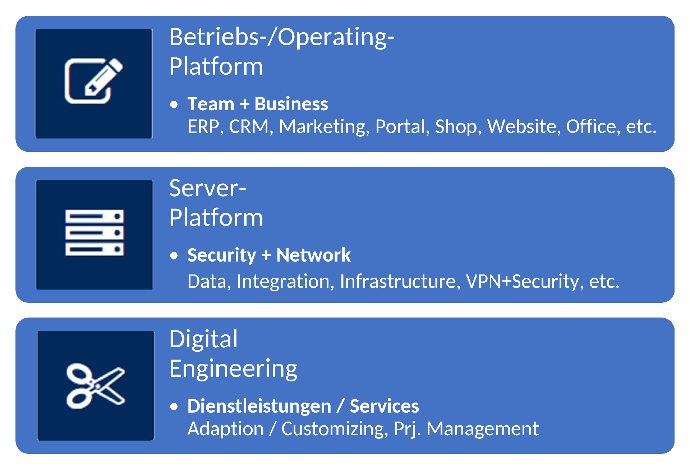
Every company has its own starting position and individual working methods and goals, which can also change over time. This should not result in any dependencies.
The KMU-Opensource package is the basis that enables precisely this and accompanies and supports companies in their development.
This includes business planning (ERP), customer management (CRM) and much more.
The Services "Strategy + Planning" and "Timeboxed Innovation" can be used to set this up to suit the company appropriately.
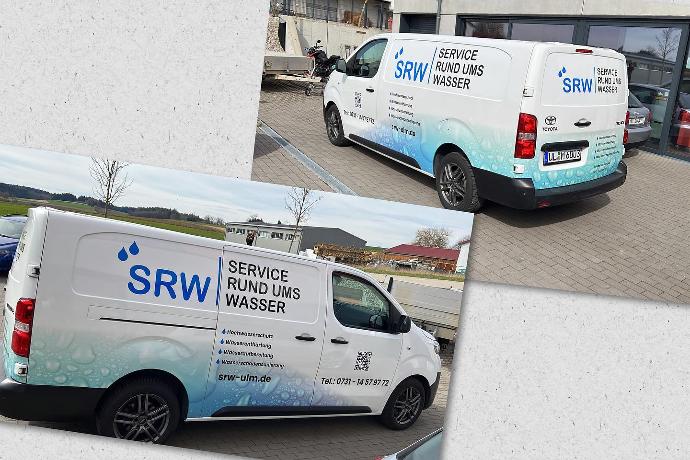
Use Case
How the company SRW-Ulm introduced the KMU-Opensource package and which modules are currently being used.
System Brief
Guiding principle: Freedom and Reliability in the digital Transformation
Free choice
of computer
Our solutions run on computers that users like and chose freely
PC, Notebooks
Apple Mac
Chromebook
Smartphones and Tablets
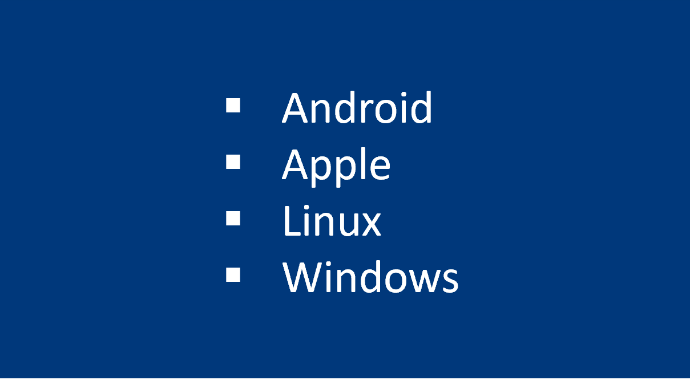
Free choice
of operating system
Our solutions run on operating systems that IT and users like to use
Windows
Apple MacOS, IOS
Linux
Free choice of
operating location
The servers run where management and IT consider it right and secure
Own IT environment in the company
In the data center (own private cloud)
In a public cloud
Architecture, processes, applications
Server-Platform
Completely license-free solution
proxmox virtualization, Docker, Portainer, backup
Reverse Proxy (Cloudflare, Caddy, Apache)
Linux Operating System (Debian, Ubuntu)
Nextcloud Hub
Private Mailcow E-Mail Server (Option)
Integration Cloud (Google, Microsoft) and Data Storage
Internet domain management with Cloudflare or Hetzner (not opensource)
Virtual workplaces
Operating-Platform
Completely license-free solution
LibreOffice (compatible to Microsoft Office)
Apps for Nextcloud Hub: Intranet, CRM, Projects, Collaboration, etc.
e-Learning (Academy)
odoo as one ERP solution for two locations in Kreuzlingen (CH) and Konstanz (DE) incl. Swiss SMB- and German SKR04-chart of accounts (alternativly SKR03),
>> Overview
>> CRM, Website, Newsletter-Marketing, Lead-Management
>> Project Management, Warehouse, Timesheets
>> Wages, banking, taxes and receipts in extra solutions
Digital Innovation Plattform
Digital innovation platform consisting of server and operating platform plus optional customizations.
Server-
Platform
Secure - Connected - Expandable
Operation always under your own control at your premises or at the data center
License-free open source software
Including documentation and access for independent administration
Linux: Debian and Ubuntu as lean, extremely reliable operating systems for servers and clients
Univention Corporate Server (UCS) for managing IT infrastructure and domains
Nextcloud Hub: Secure data storage and collaboration without compliance and security risks
Proxmox und TrueNAS: Provide data and applications securely, networked and scalable
n8n: Automation, Workflows and Integration
AirByte: Data Integration, artificial intelligence
Mailcow: private Mailserver
Operating-
Platform
Collaboration + Corporate Management
Cohesively designed standard apps and applications that users love
License-free open source software
Including documentation and access for independent administration
LibreOffice and Collabora Online
license cost free MS-Office alternativeDigital market cultivation
Easy to use odoo - solution for CRM, Marketing, Newsletter, Sales, e-Commerce, Service, Projects, Websites and e-learningBusiness management usind license cost free
odoo Community Ressource Planning (ERP)
>> Digital market cultivation
>> Finance and general ledger
>> Projects and Production
>> Portal and Collaboration
>> Internet of Things (IoT)
>> odoo-App-Store
Adaptations,
Digital Engineering
Tailor made Orchestration of Solutions
Individual Developments and Addons for special Requirements
Paid-Upgrades on Opensource Software
Including Development Documentation and Installation Instructions
Fullstack Lowcode Addons using Appsmith, Baserow, Budibase and n8n
Mobile and Portal-Solutions
Paid odoo standard apps, odoo Enterprise or Online Edition
Agile, cost-efficient individual projects:
odoo developments, marketplaces, platforms and ecosystems from mindset.swiss for more growth
Use Case: Opensource Navigator from Tolksdorf.digital
An SME innovation project by Rainer Tolksdorf
Purpose: Proof of the suitability of Free Open Source Software (FOSS) for everyday business and innovation
uses the server and operating platform with artificial intelligence (opensource and chatGPT[1] )
Uses the Blog Feature of odoo
Hosting as a private cloud solution from Tolksdorf.digital GmbH at Hetzner in Germany
Was created by Rainer Tolksdorf with license-free opensource software
[1] This functionality is used in the publicly inaccessible parts of odoo and nextcloud.
More Info
Frequently Asked Questions (FAQ)
Why do large companies use open-source software?
Many large companies rely on open-source software because it enables a high degree of technological independence, scalability, and innovation. Open source code allows software to be customized to meet specific requirements and further developed independently of individual vendors. At the same time, companies benefit from globally active developer communities that continuously drive new features and security updates. That is why open-source technologies now form the foundation of many core IT systems—from cloud infrastructures and databases to container platforms. Major cloud providers, industrial companies, and internet platforms not only use open source as users but also often actively participate in the further development of this software.
How can an existing Microsoft infrastructure be supplemented with the open-source SME package?
In many companies, open-source software is used not as a replacement for, but as a supplement to, the existing Microsoft environment.
Typical combinations include, for example:
- Document management with Nextcloud in addition to Microsoft file sharing
- Automating Processes with n8n
- AI-powered knowledge systems or search functions
- Integration of existing systems via APIs
This allows companies to add new features without having to completely replace their existing infrastructure.
Is the effort required to implement and maintain open-source software greater than that for Microsoft or other licensed software?
The workload is often distributed differently, but it isn't necessarily greater.
With traditional licensed software, part of the work falls to the manufacturer, whereas with open-source software, the company or service provider has more control.
Typical differences:
| Licensed software | Open Source |
|---|---|
| The cretator/licensor/provider handles updates | Updates flexibly planable |
| The roadmap is determined by the provider | Customizations available |
| License fees | Usually no licensing fees |
In practice, it is primarily the system architecture and the degree of integration that matter, not the type of license.
Is open-source software insecure?
No. Security does not depend on whether software is open source or proprietary.
Many of the world's most important IT systems are based on open source, for example:
- Linux
- Kubernetes
- PostgreSQL
The advantage of open source is that the source code can be publicly reviewed.
However, security always comes from:
- Clean configuration
- Updates
- Monitoring
- Professional operation
Does open-source software have poor user interfaces?
This prejudice often stems from the past.
Modern open-source software often has excellent user interfaces these days.
Examples:
- Nextcloud
- OnlyOffice
- odoo
- ERPNext
Many of these applications are actively being developed and are based on modern web standards.
Is there open-source software available for the cloud as well?
Yes. Many open-source systems today are designed specifically for cloud environments.
Typical models are:
- Self-hosted cloud systems
- Managed hosting provided by a service provider
- Hybrid architectures
An open-source stack can therefore be run
- in its own data center
- on a cloud server
- or in mixed environments
and be monitored.
Why do companies choose open-source software?
Companies often choose open-source software because it offers greater independence, control, and flexibility than traditional licensed software. The source code is openly available, allowing systems to be customized as needed or managed by various service providers. This reduces dependence on individual vendors or licensing models. Additionally, companies can build a stable IT architecture for the long term and better adapt it to their own processes. Other advantages often include lower licensing costs and the ability to leverage modern technologies that are continuously refined by international developer communities. As a result, open source is now used not only by startups but also by large enterprises, cloud providers, and public organizations worldwide.
Will I lose support if I use open source?
No. Support is also available for open-source software.
The difference lies in the support model.
With traditional licensed software, support is usually provided directly by the provider.
With open-source software, support can be provided in various ways:
- by specialized service providers
- by the managed hosting provider
- by internal IT teams
- by the developer community
In fact, many companies appreciate the greater flexibility this offers.
You can switch support partners without having to switch software.
This reduces dependence on individual manufacturers.
How does support work in practice with open source?
Typical models are:
| Model | Description |
|---|---|
| Community-Support | Help via forums, documentation, or developers |
| Managed Hosting | Operation and updates provided by a service provider |
| Service provides | Consulting, Integration, and Maintenance |
| Own IT | internal administration |
Many companies combine several of these models.
Conclusion
Open-source software does not mean “no support,” but rather the freedom to choose your support model.
Companies can decide whether they
- operate it yourself,
- hire a service provider,
- or use managed hosting.
Independence through open documentation

- Projects and solutions are described briefly and transparently so that you or your partners can use and manage the IT systems independently.
Tolksdorf.digital supports and uses open source software

Planning and Implementation Services
So that the solution provides benefits in everyday business
- Finding solutions that suit your company with Innovation Engineering
- Implementing solutions safely with digital engineering and project management